
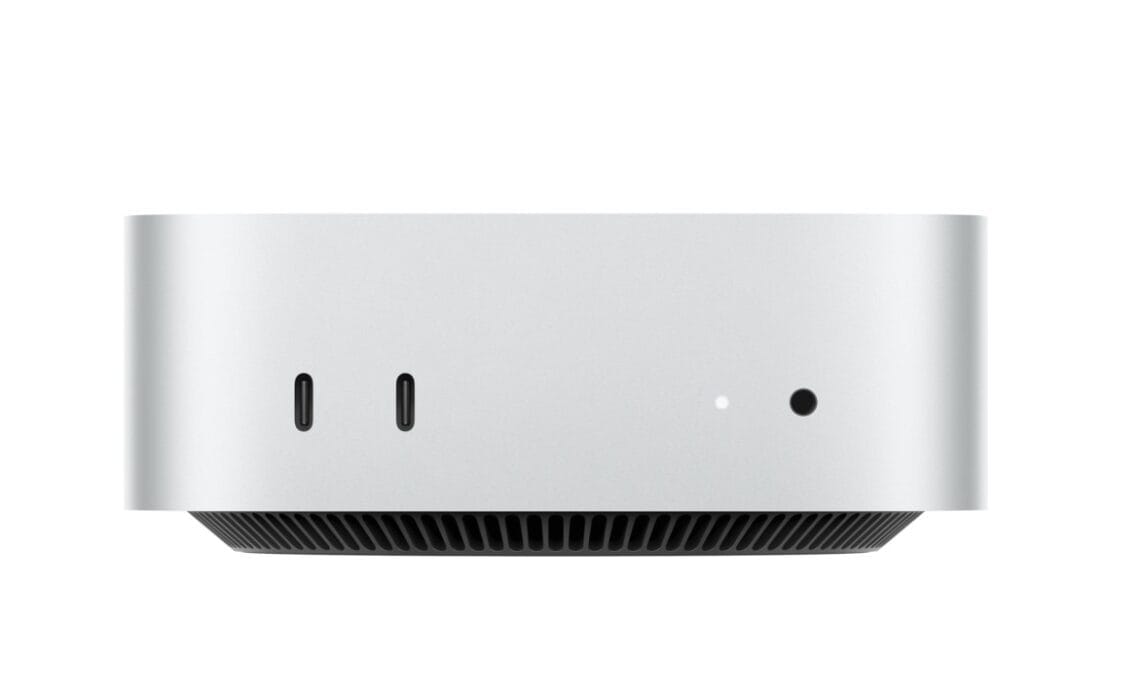
- M4MacMini is significantly faster than its predecessors, the cheese-grater Mac Pro and the trashcan Mac Pro.
- Storage is two four-bay hard drive cases and a 4TB SSD external.
- With the right drive case and NVME SSD, transfer speeds above 7,000 Mb/s are achievable, surpassing the internal SSD's speed.
Above: The M4 MacMini. Photo courtesy Apple.
BitDepth#1526 for September 01, 2025
In January, I made a tough decision. For just over ten years I’d been carefully tending a legacy system created to support one app, Adobe’s Photoshop CS6.
Adobe’s subscription model was offensive to me and supporting the last ‘perpetual license’ version of that software was becoming untenable.
The story of that experience and all the systems I went through before settling on an M4MacMini is here.
This is tale of everything that’s happened since then.
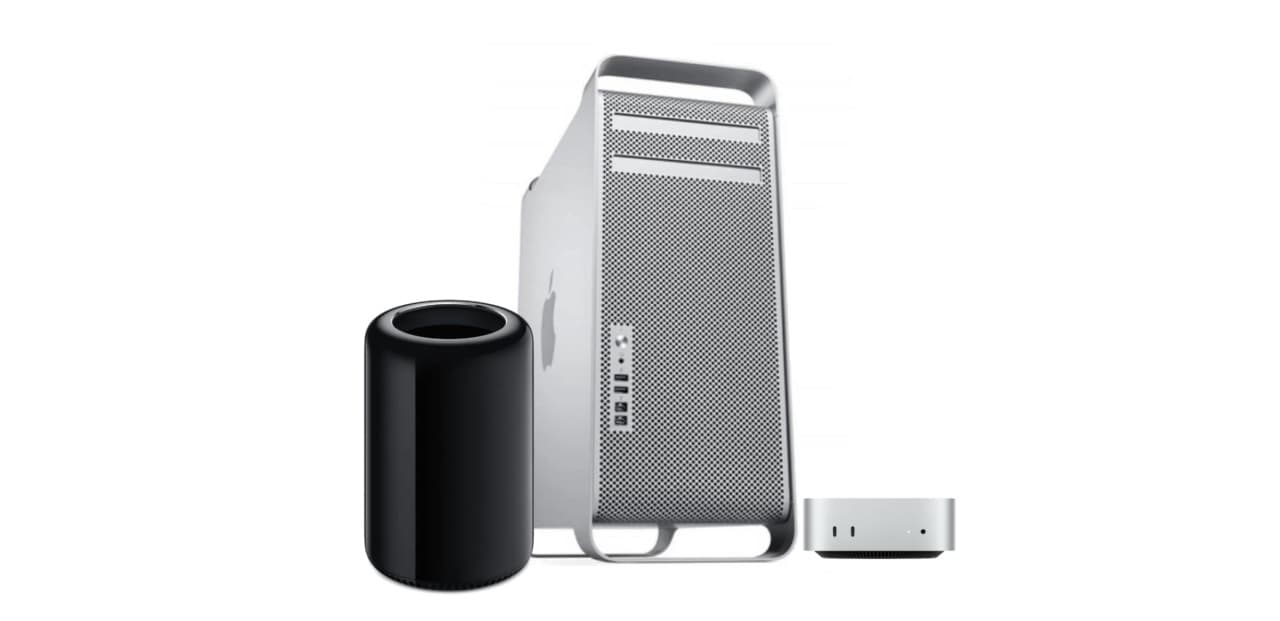
A MacMini replacing a cheese-grater MacPro, an aluminum behemoth that stood 20 inches tall by 17 inches wide, weighing 40 pounds fully loaded or even a trashcan MacPro (9 x 6 inches, 11 lbs) with the M4MacMini, a comparative doorstop at five inches square, two inches deep and weighing 1.5 lbs, seems absurd.
It actually looks kind of wack, but I can tell you straight up that on performance, the M4MacMini is leagues faster than all its predecessors.
But unlike them, you can’t upgrade this computer after purchase. You have to choose your specs on purchase and live with them for the machine’s life.
There are two models, the M4MacMini and the M4MacMini Pro. For a workstation, the pro version is highly recommended. The pro bumps the CPU cores from 10 to 12 and the GPU cores from 10 to 16.
With a bit more flex in the budget, I’d have gone for the ultimate upgrade – 14 CPU cores and 20 GPU cores – but needs must.
These incremental upgrades are where Apple makes its real money and the cost of RAM and SSD upgrades are particularly rapacious.
The sweet spot for RAM for me has traditionally been 64GB, but I dialed that down to 48GB for this system and skipped the devastatingly expensive SSD upgrades entirely, sticking with the stock 512GB. Upgrading to 4TB internally costs an astonishing US$1,200, so no, heck no.
I offload working files to connected external drives anyway and planned to make full use of the three Thunderbolt 5 ports on the M4MacMini pro edition.
Beyond the processor upgrades, my other error, the one that stings now, is not choosing the 10 gigabit ethernet port.
The pain point in my current installation turns out to be the speed of file transfer between systems on my network.
So the plan is to eventually add a 2.5 gigabit ethernet switch and adapters for connected systems. Apple’s US$100 surcharge for the faster built-in connection is actually one of the few bargains in the company’s upgrade packages.
Also connected are a primary 34-inch BenQ IPS widescreen monitor and a Dell 34 inch OLED widescreen as a secondary (that one’s shared with the writing laptop when I need the screen real estate there).
The OLED only has one DisplayPort connector and Apple’s built-in HDMI implementation remains terrible. To get faster refresh rates out of the monitor (144 Mhz) and better non-HDR fidelity on the M4MacMini, a dedicated HDMI to Thunderbolt adapter was needed.
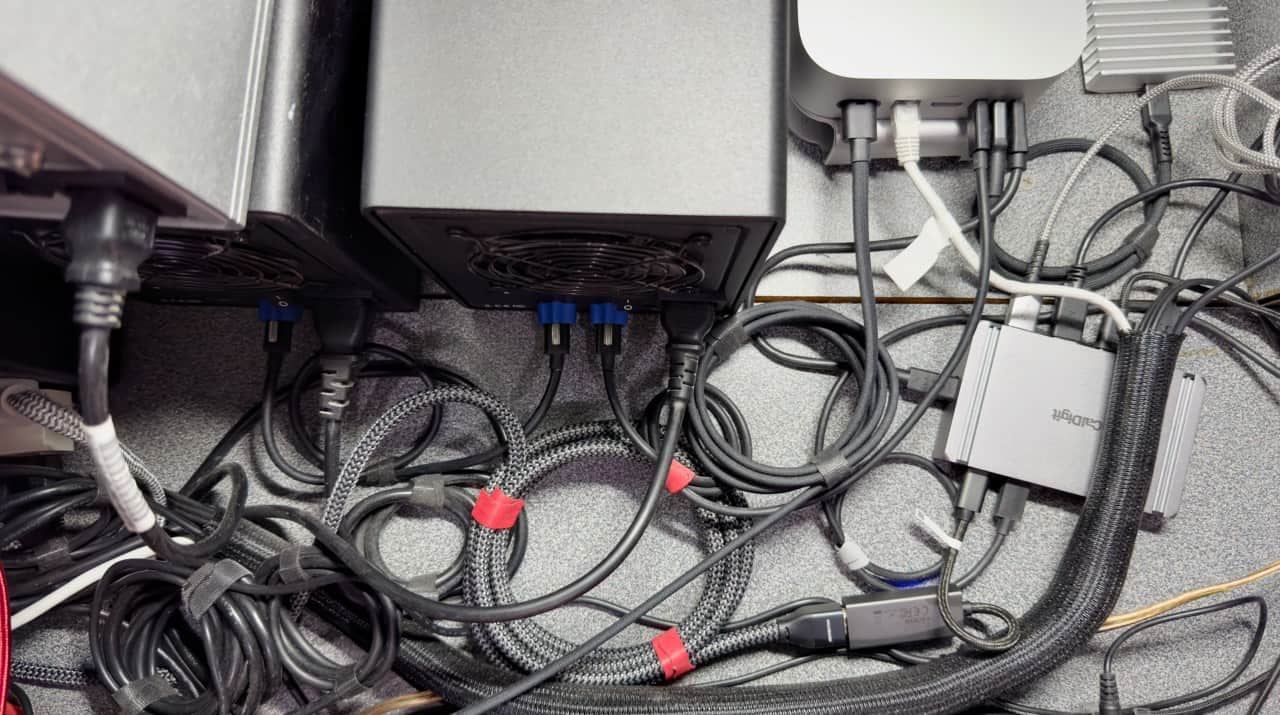
There’s a barely managed rat’s nest of cabling behind the M4MacMini that leads to two four-bay hard drive cases and a 4TB SSD external that cost a third of Apple’s pricing on the internal upgrade.
Even on Thunderbolt 4 protocols, that drive is a bit slower than the internal SSD, which transfers at around 5,000 Mb/s compared to the external at 3,400 Mb/s.
There are some use cases where that’s a big difference. Mine is not one of them.
By comparison, spinning hard drives slog along at around 175 Mb/s, which is actually pretty brisk compared to older connection protocols, but you feel it today when the drives spin up.
I could more than double those speeds in the same drive bays over the same connection by choosing RAID over independent access, but that’s not an option I’m comfortable with.
In a more liquid financial future, a fast NAS might be useful. Drive bays that connect via USB 3.2 to the M4MacMini when I need them, prove that the bottleneck is spinning drive access speed, not the ports or cabling.
Almost all this was done incrementally over the last six months, and the landscape of connectors and adapters is much better now. There are more external drive solutions and port expanders/docks that support the 80-120 GB/s transfer speed of the pro M4MacMini’s three Thunderbolt 5 ports.
With the right drive case and NVME SSD, it’s possible to get transfer speeds above 7,000 Mb/s, read/writes that are faster than the internal SSD.
Thunderbolt 5 docks simplify connecting many peripherals effectively to a single port, but remain costly, though greater supply will inevitably push prices down.

















 Is Apple’s Neo the One?
March 22, 2026
Is Apple’s Neo the One?
March 22, 2026
 Privacy and your travel information
March 15, 2026
Privacy and your travel information
March 15, 2026
 TATT announces ambitious three-year strategic plan
March 9, 2026
TATT announces ambitious three-year strategic plan
March 9, 2026
 Samsung’s S26 leans in hard on...
March 1, 2026
Samsung’s S26 leans in hard on...
March 1, 2026
 A 2026 manifesto for Carnival
February 23, 2026
A 2026 manifesto for Carnival
February 23, 2026
 A hiss from a rose
February 15, 2026
A hiss from a rose
February 15, 2026
 News is a niche until it’s...
February 9, 2026
News is a niche until it’s...
February 9, 2026
 FT’s second Next Gen News report...
February 9, 2026
FT’s second Next Gen News report...
February 9, 2026
 Ransomware report notes fourth quarter 2025...
February 2, 2026
Ransomware report notes fourth quarter 2025...
February 2, 2026
 Hands-on with Apple’s Creator Studio as...
January 30, 2026
Hands-on with Apple’s Creator Studio as...
January 30, 2026
 Apple flirts with subscription software
January 26, 2026
Apple flirts with subscription software
January 26, 2026
 So long, and thanks for all...
January 19, 2026
So long, and thanks for all...
January 19, 2026
 Cyberedge reports on cybersecurity trends
January 12, 2026
Cyberedge reports on cybersecurity trends
January 12, 2026
 Samsung’s ZFlip 7 shows steady improvement
January 5, 2026
Samsung’s ZFlip 7 shows steady improvement
January 5, 2026
 Digital New Year’s resolutions
December 29, 2025
Digital New Year’s resolutions
December 29, 2025
 WiPay announces new strategy for services,...
December 22, 2025
WiPay announces new strategy for services,...
December 22, 2025
 Old Mac, new OS
December 15, 2025
Old Mac, new OS
December 15, 2025
 Regional cybersecurity faces fire
December 8, 2025
Regional cybersecurity faces fire
December 8, 2025
 Unfinished symphonies
December 1, 2025
Unfinished symphonies
December 1, 2025
 Do you know who your child...
November 24, 2025
Do you know who your child...
November 24, 2025

It is too bad that PhotoShop is so expensive. Just read a couple of articles by by Justin Tedford on alternatives to Photoshop that are being adopted by ex-PhotoShop users and a Linuxiac.com article on the next version of GIMP. Then I read an article on the new Google AI program that is very interesting and capable – but such AI programs are in the very early stage of development (sort of like what the XT computers are to the current computers).
Adobe also made it legally very difficult for competitors to create software with comparable features. I think that GIMP, and other programs developer, are coming up with ways to enhance their products without getting sued.
Actually, I’ve found that Affinity Photo comes closest to a direct Photoshop alternative. As you mention, there’s quite a bit of rejigging to the interface there to avoid Adobe claiming IP, so my biggest problem has been recrafting muscle memory earned over decades to a subtly, and sometimes irritatingly different interface.