
- Deleted data isn’t immediately erased but can be overwritten, making recovery difficult.
- Professional data recovery services are expensive, ranging from US$300 to US$3,000 or more.
- 3-2-1 Backup Rule: Requires three distinct copies of data, two on different media types, and one offsite.
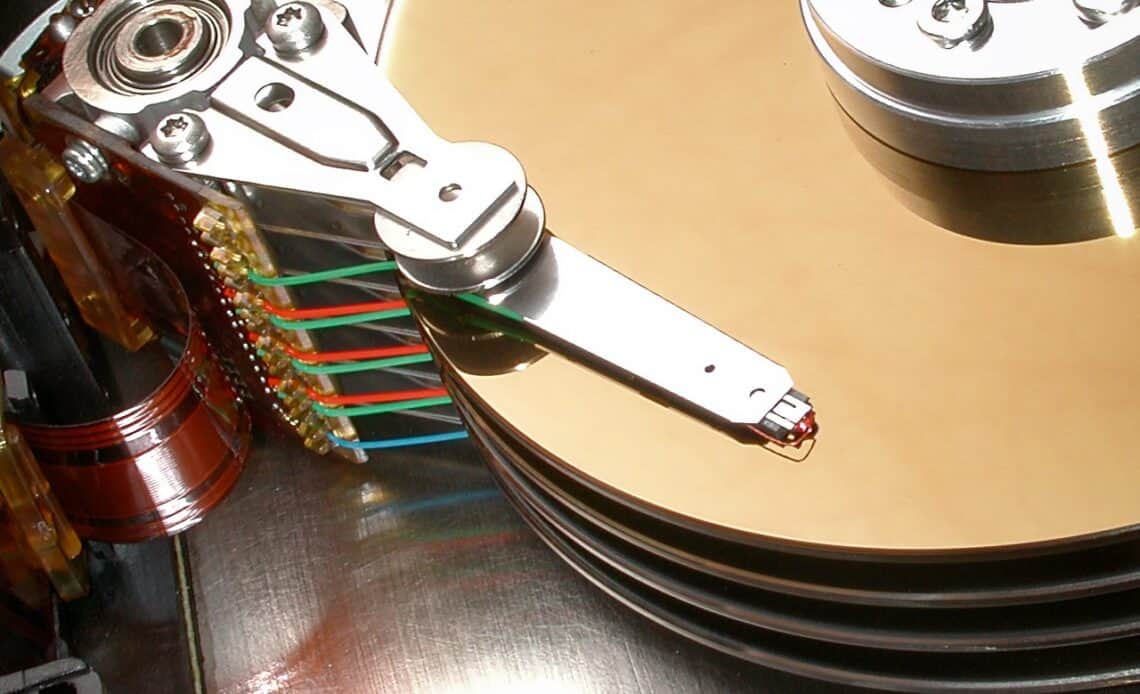
Above: Hard disk platters. Photo by Mark Lyndersay.
BitDepth#1495 for January 27, 2025
It’s been a while since backing up your data was a topic in this space.
Six weeks ago, I tried to recover files from a camera memory card. After deep-scanning the solid-state memory, many files were found, but not the ones the owner was looking for.
Deletion marks data as erased, but doesn’t actually remove it. It’s a bit like removing the label from an intercom list in an apartment complex. The data, like the occupant, is still there, but the computer has no way to know that, so it will write data into the space.
Eventually, new data destroys the old. That’s why Department of Defense (DoD) level formatting takes so long. Random data is written repeatedly into drive space marked as empty to destroy what’s there.
Four weeks ago, I deployed a specialist hardware tool to recover data from a Parallel ATA (PATA) drive from a fifteen-year-old computer system.
Three weeks ago, I watched a key workstation hard drive disappear from my computer desktop. That failure was mortal and complete, taking with it three years of photography assignments in an instant.
It took four hours to restore from a continuous backup system, but I did lose the file I was working on when the hardware failed.
Reviewing the status of other drives in my system, it became clear that two others were approaching end-of-life and I needed to move the data on them to new storage.
Two weeks ago, a friend brought me a drive that he believed had failed. It hadn’t, but he couldn’t copy to it because it was full. I made some data management suggestions, and I can only hope that he moved forward with at least one of them.
Last week, a friend reached out to ask about recovery options for a drive that failed. I could recommend nothing trustworthy locally and pointed to reliable but breathtakingly expensive services in the US.
At some point, it became clear that the universe was done whispering in my ear about reminding readers about backup and began to holler.
Here are some things you should know about lost data.
All the money you think you’re saving by not buying additional hard drives will be lost ten times over paying professionals to recover data from even a single digital unit.
The cheapest cost that I’ve seen for professional recovery services is US$300 and one of the best regarded recovery companies, DriveSavers, starts at US$3,000.
For drives with physical or electronic failures, disassembly of drives is often the preferred method of effecting a repair, a clean-room reengineering of a delicate and sophisticated technology.
An effective backup system is insurance bought to protect against an inevitable failure that will cost you.
Yet far too many people think of backup, its cost and fussy implementation as expensive, possibly overkill and too much work to invest against the “possibility” of catastrophic loss.
So here’s what I’ve learned through pain and crisis.
Digital storage, spinning hard drives, solid state drives (SSD), sophisticated tape systems and optical media all have a useful life.
From the minute we create and save digital files, a timer starts that’s invisible to most.
Modern hard drives and SSDs are mechanisms managed by integrated circuits and part of their programming includes SMART (Self-Monitoring, Analysis, and Reporting Technology) monitoring, which tracks several hardware parameters and indicators.
If you have oversight responsibility for multiple drives or just a specific paranoia about a single unit, investing in software that accurately reads SMART status gives you an important window into the deterioration of your storage.
While there is a command line prompt in Windows available to check SMART status, there are also several free GUI tools and some more sophisticated apps available for a fee.
On the Mac, while you can read some SMART status information in Disk Utility and System Report, the most readable software monitor is DriveDx.
Without that insight, you are left to consider more terrifying warnings like copy operations that abort, drives that spontaneously dismount, sluggish drive access and the worst of all possible alerts, the clatter or scraping of a drive head making contact with the polished platter’s surface.
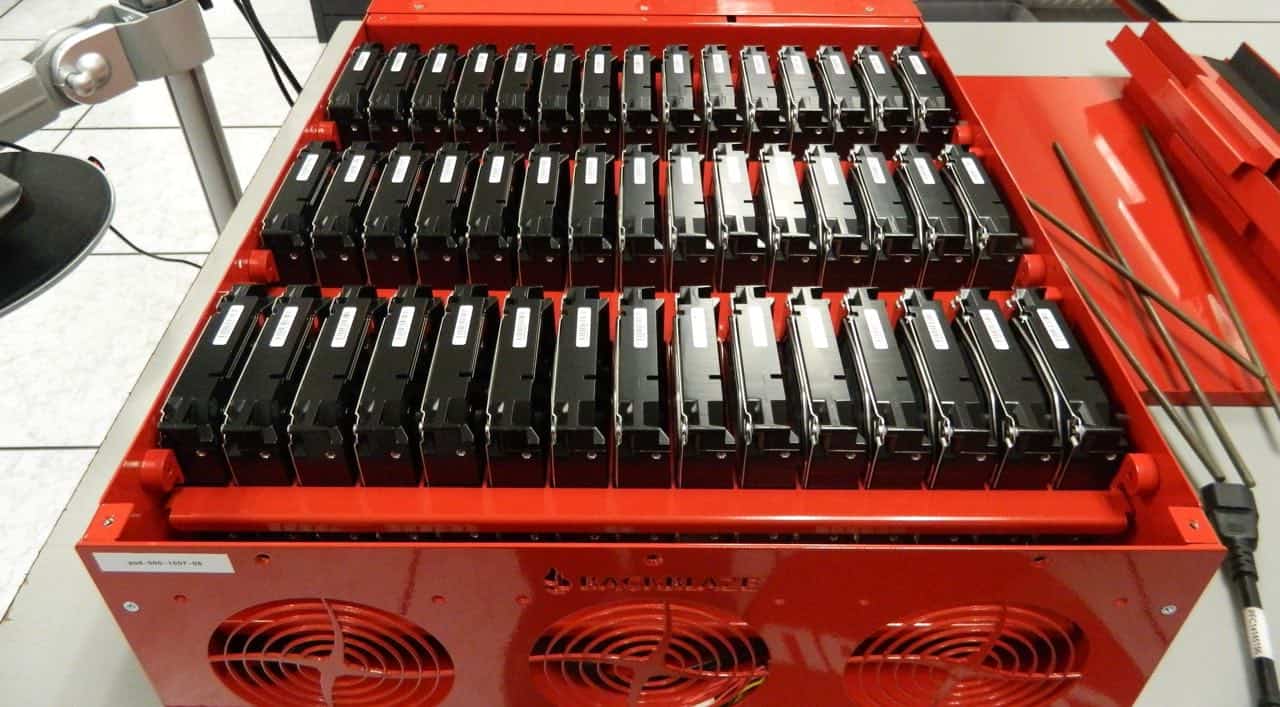
The most basic architecture of an effective backup system is called the 3-2-1 backup rule.
A proper implementation of this requires that you have three distinct copies of your data, Two of those backups should be on different kinds of media, (an external drive and cloud storage, for instance) and one backup should be held offsite.
Add to that mix the option of write-once recordable media (WORM) drives. CDs and DVDs were once viable ways to back up data, but any serious archive using a WORM system should be based on Blu-Ray discs designed for longevity in either 25 or 50 gigabyte capacities.
They cost more, but offer greater data security.
Blu-Ray is increasingly becoming a fringe medium focused more on data retention with prevailing shift to streaming entertainment. Sony recently ended all blank optical media production.
Time is not your friend. A hard drive that’s left unused on a shelf risks mechanical seizure, one that’s in continuous use will face running wear as the hours of use increase.
Most drives that aren’t accessed in a computer system will park their heads at rest, but they are powered on and reporting their SMART status.
It would be risky to trust a spinning hard drive that’s been in use for more than five years.
By then, capacities will also have increased and the cost per gigabyte will have dropped, so a data migration budget can buy larger disks, making it possibleto consolidate data.
But those primary disks must be set up to synchronize their data with other storage units in the backup system. A backup, by definition, exists in at least two places.
Automate these processes as far as possible. It’s better to set up software to run backup processes and synchronize data across multiple instances than to pretend that you have either the time or inclination to do it yourself.
You probably won’t do what’s required, you certainly won’t do it consistently and you probably won’t realize what’s you’ve missed until it’s too late.
There are only two kinds of computer users in the world. Those who have lost data and those who will.













 The state of ransomware in the...
April 12, 2026
The state of ransomware in the...
April 12, 2026
 Digital döstädning
April 5, 2026
Digital döstädning
April 5, 2026
 The garbage infesting my in-box
March 30, 2026
The garbage infesting my in-box
March 30, 2026
 TSTT’s payments problem (updated)
March 30, 2026
TSTT’s payments problem (updated)
March 30, 2026
 Is Apple’s Neo the One?
March 22, 2026
Is Apple’s Neo the One?
March 22, 2026
 Privacy and your travel information
March 15, 2026
Privacy and your travel information
March 15, 2026
 TATT announces ambitious three-year strategic plan
March 9, 2026
TATT announces ambitious three-year strategic plan
March 9, 2026
 Samsung’s S26 leans in hard on...
March 1, 2026
Samsung’s S26 leans in hard on...
March 1, 2026
 A 2026 manifesto for Carnival
February 23, 2026
A 2026 manifesto for Carnival
February 23, 2026
 A hiss from a rose
February 15, 2026
A hiss from a rose
February 15, 2026
 News is a niche until it’s...
February 9, 2026
News is a niche until it’s...
February 9, 2026
 FT’s second Next Gen News report...
February 9, 2026
FT’s second Next Gen News report...
February 9, 2026
 Ransomware report notes fourth quarter 2025...
February 2, 2026
Ransomware report notes fourth quarter 2025...
February 2, 2026
 Hands-on with Apple’s Creator Studio as...
January 30, 2026
Hands-on with Apple’s Creator Studio as...
January 30, 2026
 Apple flirts with subscription software
January 26, 2026
Apple flirts with subscription software
January 26, 2026
 So long, and thanks for all...
January 19, 2026
So long, and thanks for all...
January 19, 2026
 Cyberedge reports on cybersecurity trends
January 12, 2026
Cyberedge reports on cybersecurity trends
January 12, 2026
 Samsung’s ZFlip 7 shows steady improvement
January 5, 2026
Samsung’s ZFlip 7 shows steady improvement
January 5, 2026
 Digital New Year’s resolutions
December 29, 2025
Digital New Year’s resolutions
December 29, 2025
 WiPay announces new strategy for services,...
December 22, 2025
WiPay announces new strategy for services,...
December 22, 2025